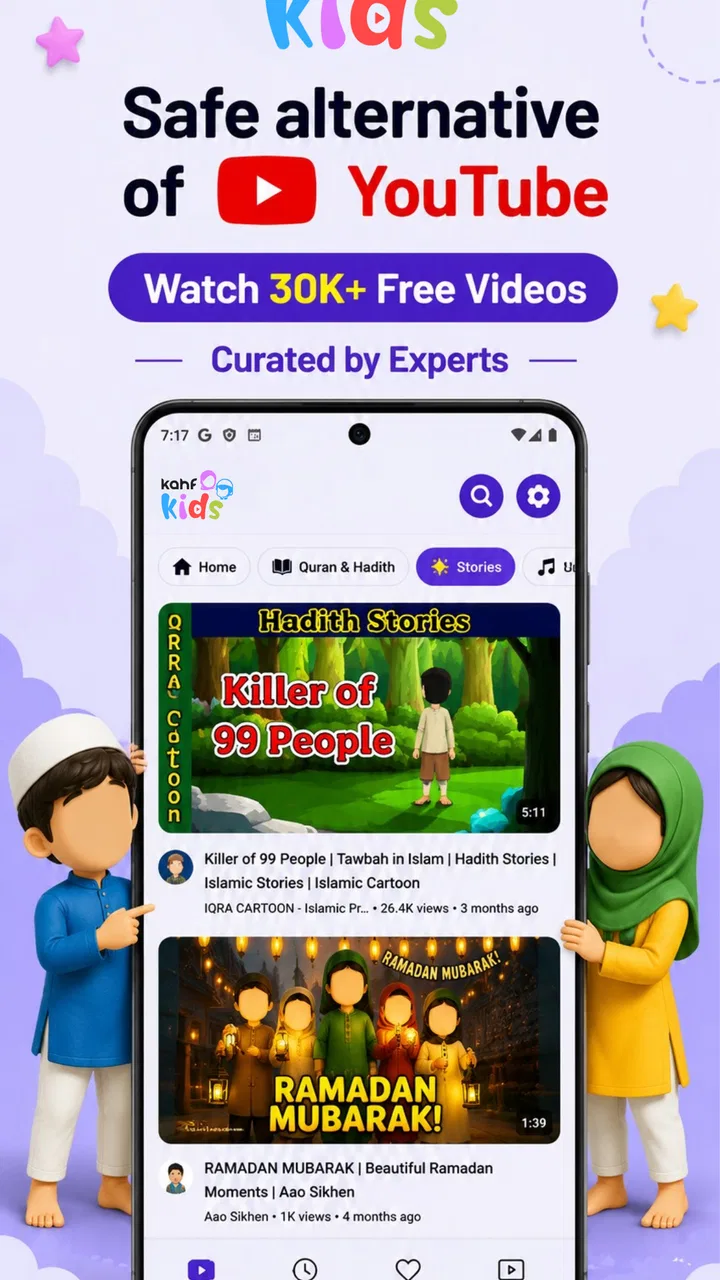
Kahf Kids Parental Control App
- 4.8
- Rating
- 100.00K
- Installs
- Free
- Price

 Analysis by App-foxy
I came away from Kahf Kids with a fairly clear impression: it is best understood as a practical first layer of digital parenting, not as a complete replacement for family rules or active supervision. The app brings three concerns into one place—screen time, app blocking, and children’s video access—which makes it easier for a parent to create a calmer routine without jumping between unrelated tools. That combination is the reason I would recommend trying it before assembling several separate controls.
Kahf, the developer, positions this free parenting app around a problem most families already recognize. A child may move from a game to a video app and then continue using the phone long after the agreed stopping point. Handling each situation manually can turn every evening into a negotiation. Kahf Kids gives parents a more organized way to set boundaries, while still leaving the parent responsible for deciding what is appropriate.
The app has reached over 100 thousand installs and holds a 4.8 average from around 1.9 thousand ratings. Those figures suggest that its focused approach is connecting with families, although I would still treat any parental-control tool as something to test personally. Children’s ages, device habits, and household expectations vary too much for a high rating alone to tell the whole story.
You May Also Like

 Blood Strike: 2.5 Anniversary
Blood Strike’s Loadouts Turn Every Drop Into a Tactical Gamble
A close look at Blood Strike’s custom loadouts: how fast access to signature weapons reshapes its battle royale rhythm, rewards preparation, and narrows the gap between fights.

 Pandora - Music & Podcasts
Pandora’s Music Is Easy to Start, but Harder to Recover
Pandora’s strength is its low-effort path from a seed to a station. Its weak spot is how much confidence it asks you to place in connection, setup, and quiet recovery.

 8 Ball Pool
 Is Built on Rivalries, Rematches, and Routine
A close look at the rivalries, rematches, shared routines, and unanswered safety questions that turn a quick pool match into a persistent mobile community.

 Samsung Music
’s Quiet Strength Is Playing What You Already Own
Its reach comes less from spectacle than from dependable access to a personal library. That simplicity is both the app’s strongest retention engine and its ceiling.

 AccuWeather: Weather Radar
AccuWeather Review: A Quick, Clear Forecast for Everyday Decisions
For everyday plans, the best forecast is the one you can understand quickly. AccuWeather makes rain timing, radar, and local conditions easy to act on, with a few trade-offs.

 Hill Climb Racing
Why Hill Climb Racing Still Turns Crashes Into One More Run
A tiny car, a bumpy hill and one more upgrade: Hill Climb Racing keeps resurfacing because its simple chaos makes every near-miss feel personal.
More From Our News Desk



How the daily experience works for a parent
The most useful way to think about Kahf Kids is as a routine-setting tool. Instead of waiting until a child is already absorbed in a screen, I would use it before the device is handed over: decide how much access is reasonable, identify apps that should be unavailable, and guide video use toward safer choices. That preparation matters because controls work best when they support a rule the child already understands.
Screen-time management is the foundation. It can help turn a vague instruction such as “put the phone away soon” into a clearer limit. For younger children, that clarity can reduce arguments because the boundary is attached to the device rather than changing according to a parent’s mood. For older children, it can become part of a broader agreement about homework, sleep, meals, and leisure.
I would not use a timer as a substitute for conversation. A child who has no warning may experience the cutoff as a punishment, even when the limit is sensible. A better workflow is to explain the rule first, give a reminder before access ends, and then let the app enforce the decision consistently. The important strength here is not simply stopping use; it is helping parents avoid making the same decision repeatedly throughout the day.
The app-blocking side is particularly useful in households where only certain activities cause trouble. A child might need access to a learning tool but not to a distracting game during study time. Blocking everything would be unnecessarily harsh, while allowing everything makes the screen-time limit less meaningful. Selective restrictions offer a middle path, provided the parent reviews the choices regularly instead of setting them once and forgetting them.
One practical tip is to separate “not now” from “never.” If an app is unsuitable during schoolwork but acceptable on a weekend, a parent should treat that as a scheduling and routine question rather than branding the app as permanently forbidden. Kahf Kids is more helpful when its controls reflect the family’s actual timetable. Rigid settings can create unnecessary friction, especially for children who are old enough to understand changing expectations.
The safe-video focus adds another layer. Video platforms can be difficult for parents because one harmless clip may lead to recommendations that are less suitable for a child. A dedicated safer viewing environment is valuable when a child mainly wants cartoons, educational material, or entertainment and does not need unrestricted browsing. I see this as one of the app’s more meaningful distinctions from a basic device timer.
Still, “safe” should not be treated as a magic word. Parents should remain involved in what a child watches, especially with younger users. Content changes quickly, and a controlled viewing area cannot replace knowing the child’s interests or noticing when a video is upsetting, confusing, or simply too stimulating before bedtime. The app can narrow the risk; it cannot make every viewing decision for a family.
A realistic evening routine
Imagine a child returning from school with a tablet and asking for a short video break before dinner. I would set the expected screen period in advance, block the games that tend to turn a short break into a long one, and allow the child to use the safer video area. When dinner begins, the device boundary is already established rather than negotiated at the table.
Later, if homework requires a particular app, the parent can reconsider the restriction instead of abandoning the whole system. This is where a little planning makes a difference. The strongest use of Kahf Kids is not emergency control after a child has already exceeded a limit; it is a repeatable household pattern that makes the parent’s choices predictable.
For travel, the balance changes. A long journey may justify more flexible access, while a late-night hotel stay may call for stricter limits. I would adjust the routine rather than rely on one permanent setting. That approach also helps children learn that screen rules can change for a clear reason without becoming negotiable every time they ask.
What makes it more useful than a single built-in setting
Android and iOS already offer some forms of screen management, and those built-in tools may be enough for parents who want only basic limits. Their advantage is that they are already integrated into the device and may require less setup. Kahf Kids becomes more appealing when the family wants a child-focused combination of time boundaries, app restrictions, and safer video access in one parenting-oriented experience.
The difference is less about having a timer and more about having a coherent plan. A device setting may tell you how long a child used an app, while a dedicated parenting app encourages you to decide what the child should be able to reach in the first place. That distinction is important for families who are trying to reduce impulsive switching between games and videos rather than merely count total minutes.
There is also a useful trade-off. A single-purpose system can feel simpler because it does less. Kahf Kids asks the parent to think more carefully about which apps are allowed, which are blocked, and how video access fits the child’s routine. That extra thought is worthwhile for some households, but it may feel like unnecessary administration to a parent who already has a working arrangement with the child.
Where the app earns trust—and where it needs patience
The clearest strength is the combination of controls. Screen time handles duration, app blocking handles specific distractions, and safer videos address a category that often escapes ordinary time limits. Used together, they cover different parts of the same problem rather than repeating one function three times.
I also like the app’s potential to make rules more consistent between caregivers. If one parent usually enforces limits while another makes exceptions, a shared system can reduce confusion. It does not solve disagreements between adults, but it can make those disagreements visible and encourage the family to agree on the settings before the child asks for access.
The meaningful weakness is that parental control always creates setup and maintenance work. A parent has to decide what belongs in each category, explain the system, and revisit it as the child grows. An app cannot know whether a particular game is appropriate for a specific child, whether a video is helpful on a given day, or whether a limit is too strict during a family trip.
There is also a social cost to overusing restrictions. If every problem is handled by blocking, a child may learn only how to wait for the next opportunity to bypass a rule rather than how to manage attention. I would pair the app with gradual independence: younger children may need tighter boundaries, while older children can be invited to help set reasonable limits and review how well they are working.
Families should also plan for moments when the controls become inconvenient. A parent may need to change access for schoolwork, a medical appointment, travel, or a shared family activity. If adjusting the system feels burdensome, the temptation is to disable it entirely. That is why I would start with a small number of high-impact restrictions instead of trying to control every app from the first day.
Cost, compatibility, and the questions I would ask before installing
Kahf Kids is free to download, with optional in-app purchases ranging from about five dollars to about thirty dollars per item. I would begin with the free experience and judge whether it fits the household before paying for anything. The important question is not whether extra spending sounds reasonable in general, but whether the additional value addresses a real problem in your family’s routine.
The app is suitable for Everyone and requires Android 7.0 or later. That makes it accessible on many Android devices, including older ones, but I would still check the child’s particular phone or tablet before building a routine around it. Compatibility is only one part of the decision; the device also needs to be available to the parent when settings must be changed.
The current version is 3.1.1151, and the app was released on October 8, 2024. I mention the version because parents should keep an eye on updates when controls are central to a child’s device use. After an update, I would quickly review the important limits and blocked apps rather than assuming every setting behaves exactly as before.
A common question is whether this is appropriate for teenagers. My answer is: sometimes, but with a different style of use. For a young child, the parent may manage most settings directly. For a teenager, secretive restrictions can damage trust, so I would use the app as part of an agreed plan and explain what is limited and why. If the main goal is detailed family monitoring rather than basic boundaries, another solution may be a better fit.
Another question is whether it can replace talking to a child about online safety. It cannot. The safer-video feature may reduce exposure to unsuitable material, but children still need guidance about ads, strangers, upsetting content, and the difference between entertainment and reliable information. Kahf Kids is strongest as a practical guardrail around those conversations.
Parents may also wonder whether it is better than using several separate tools. In my view, it is better when simplicity and a unified routine matter more than deep specialization. Separate system controls may be preferable for families that want highly detailed device administration, while Kahf Kids makes more sense for parents who want the main child-focused boundaries gathered together.
Who should use it, and who should look elsewhere
I would recommend Kahf Kids to parents of children who move frequently between videos, games, and other apps, particularly when repeated reminders are no longer working. It is also a sensible option for caregivers who want to introduce screen rules without turning every limit into a personal confrontation. The combination of selective blocking and safer videos gives it a clearer purpose than a simple countdown timer.
It may be especially helpful in a busy household where different adults supervise the same child. A consistent setup can make the rules easier to follow during homework, meals, and bedtime. It can also help a parent who is beginning to establish digital boundaries and wants a focused starting point rather than a complicated collection of settings.
I would be more cautious for families with older teenagers who expect substantial privacy, or for parents looking for comprehensive monitoring and detailed reporting. The app’s core appeal is controlled access, not a substitute for a complete family technology policy. Likewise, parents who already use the device’s built-in controls successfully may gain little from adding another layer.
My advice is to begin with one concrete problem. Choose either late-night video use, distracting games during homework, or uncontrolled short viewing sessions. Set up a modest rule, explain it to the child, and observe whether the household becomes calmer. If the first rule works, expand gradually. This approach reveals the app’s practical value without making the child feel that every part of the device has suddenly become forbidden.
After using it in that measured way, I see Kahf Kids as a focused and approachable parenting app rather than an all-purpose answer to children’s technology habits. Its strongest case is the way screen limits, app blocking, and safer video access reinforce one another. Its main limitation is shared by every control system: it still depends on thoughtful settings, regular review, and a parent who is willing to explain the boundaries.
For families that need a simple structure around a child’s Android use, I think it is worth trying. The free entry point lowers the risk, the Everyone rating makes its intended audience clear, and the strong user response gives it a credible starting point. I would choose it over relying on repeated verbal reminders alone, but I would not present it to a child as the whole lesson about responsible technology.
My final recommendation is straightforward: use Kahf Kids when your priority is creating predictable, child-focused limits around time, apps, and videos. Skip it if your current built-in controls already work or if you need advanced supervision beyond those core boundaries. Used with honest conversations and occasional adjustments, it can turn screen management from a daily argument into a more manageable family routine.
FAQs for Kahf Kids Parental Control App
01What is Kahf Kids Parental Control App?
Kahf Kids Parental Control App is designed to help parents manage their children's online activities. It provides tools to monitor screen time, block inappropriate content, and track app usage. By setting up parental controls, it aims to create a safer digital environment for kids.
02How does Kahf Kids ensure my child’s data privacy?
Kahf Kids prioritizes your child’s data privacy by using encryption to protect personal information. The app complies with international data protection regulations, ensuring that your child’s data is not shared with third parties. Regular updates further enhance security features and protect against vulnerabilities.
03Can I set time limits on specific apps using Kahf Kids?
Yes, Kahf Kids allows you to set specific time limits on individual apps. This feature helps parents manage how long their children spend on particular applications, encouraging balanced usage and promoting healthy digital habits. You can customize these limits based on your child’s needs.
04Is Kahf Kids compatible with both Android and iOS devices?
Kahf Kids is available for both Android and iOS platforms. The app offers a seamless experience across different devices, ensuring that you can manage parental controls whether your child uses a smartphone or a tablet. Make sure to download the correct version for your operating system.
05What should I do if I encounter technical issues with Kahf Kids?
If you experience technical issues with Kahf Kids, the first step is to check the app's FAQ section or support page for troubleshooting tips. If the problem persists, contact their customer support team via email or in-app support. They are responsive and equipped to assist with any technical difficulties.
Pros
- User-friendly interface for easy navigation.
- Comprehensive activity monitoring features.
- Customizable screen time limits.
- Real-time location tracking for safety.
- Supports multiple devices and platforms.
Cons
- Limited features on the free version.
- Requires a stable internet connection.
- May drain battery with continuous use.
- Initial setup can be time-consuming.
- Notifications can be overly frequent.

Kahf Kids Parental Control App
Gallery